🚀 Experience the new and improved APIVoid! Check out what's new
BROWSER EXTENSION
APIVoid Request Tester lets you send HTTP requests, save reusable request profiles, and inspect responses without leaving your browser. A lightweight alternative to standalone API clients, built for quick day-to-day API testing.
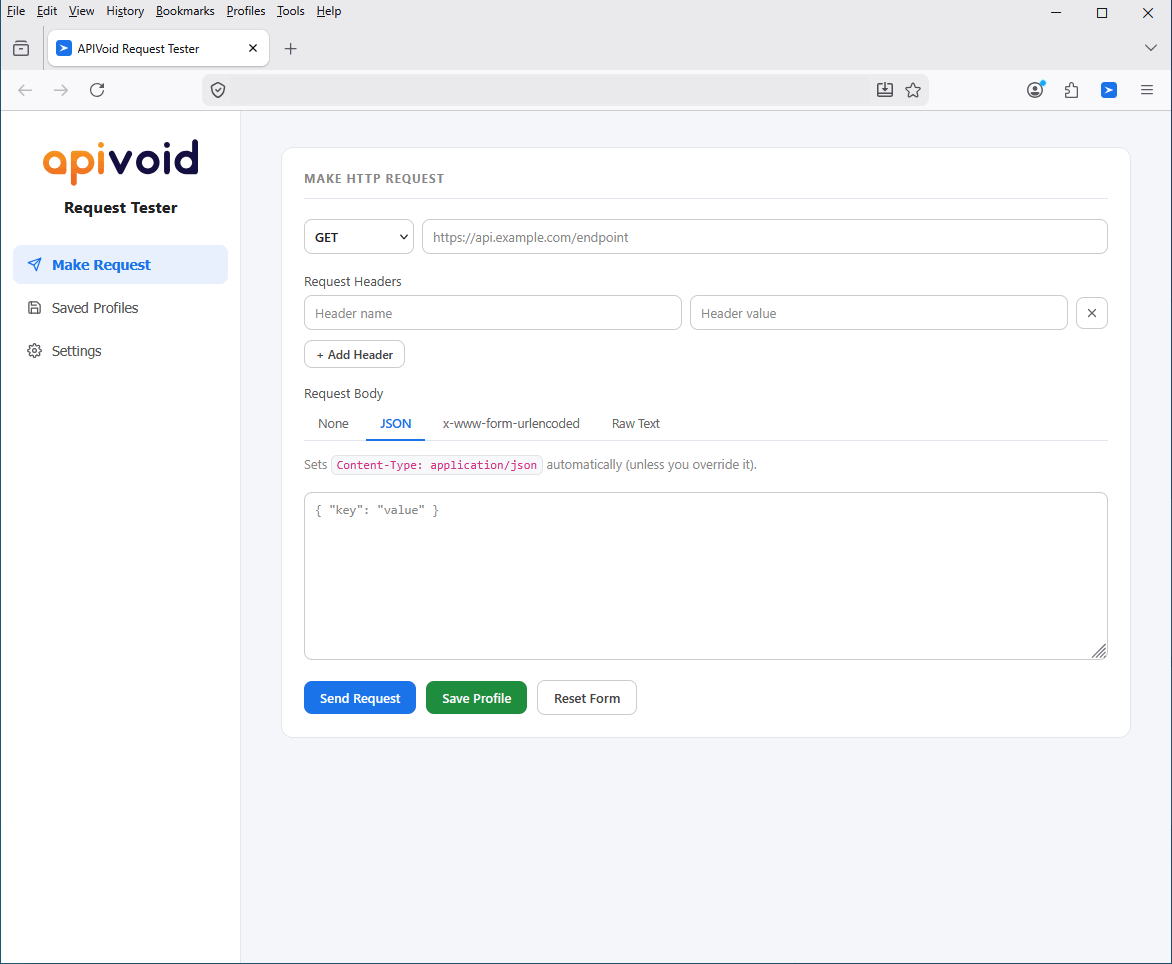
Send HTTP Requests
Browser developer tools let you replay individual requests, but they don't let you save them for later. APIVoid Request Tester fills that gap with a clean interface for sending API calls and storing them as named profiles you can re-run any time, with a single mouse click.
Send GET, POST, PUT, DELETE, PATCH, HEAD, and OPTIONS requests with custom headers and full control over the request body.
Send raw JSON, form-urlencoded data, plain text, or no body at all. Content-Type headers are set automatically when relevant.
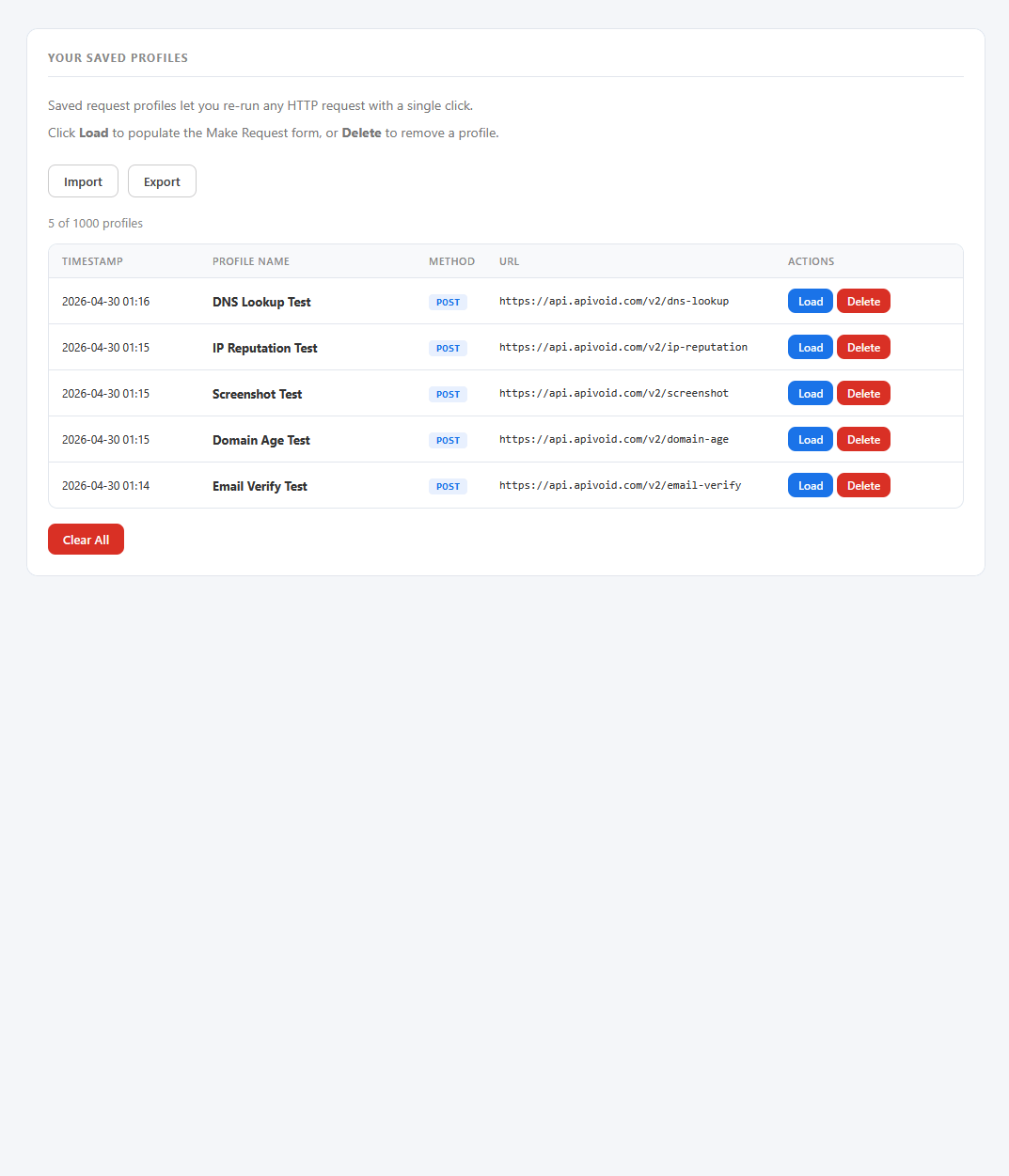
Store any request as a named profile and re-run it later with one click. Edit, delete, import, or export profiles as JSON files at any time. Useful to share profiles with colleagues.
The interface is very simple to use: just select the method and URL, add headers and a request body, then click "Send Request". You can save the profile and run it again later.
Inspect Responses
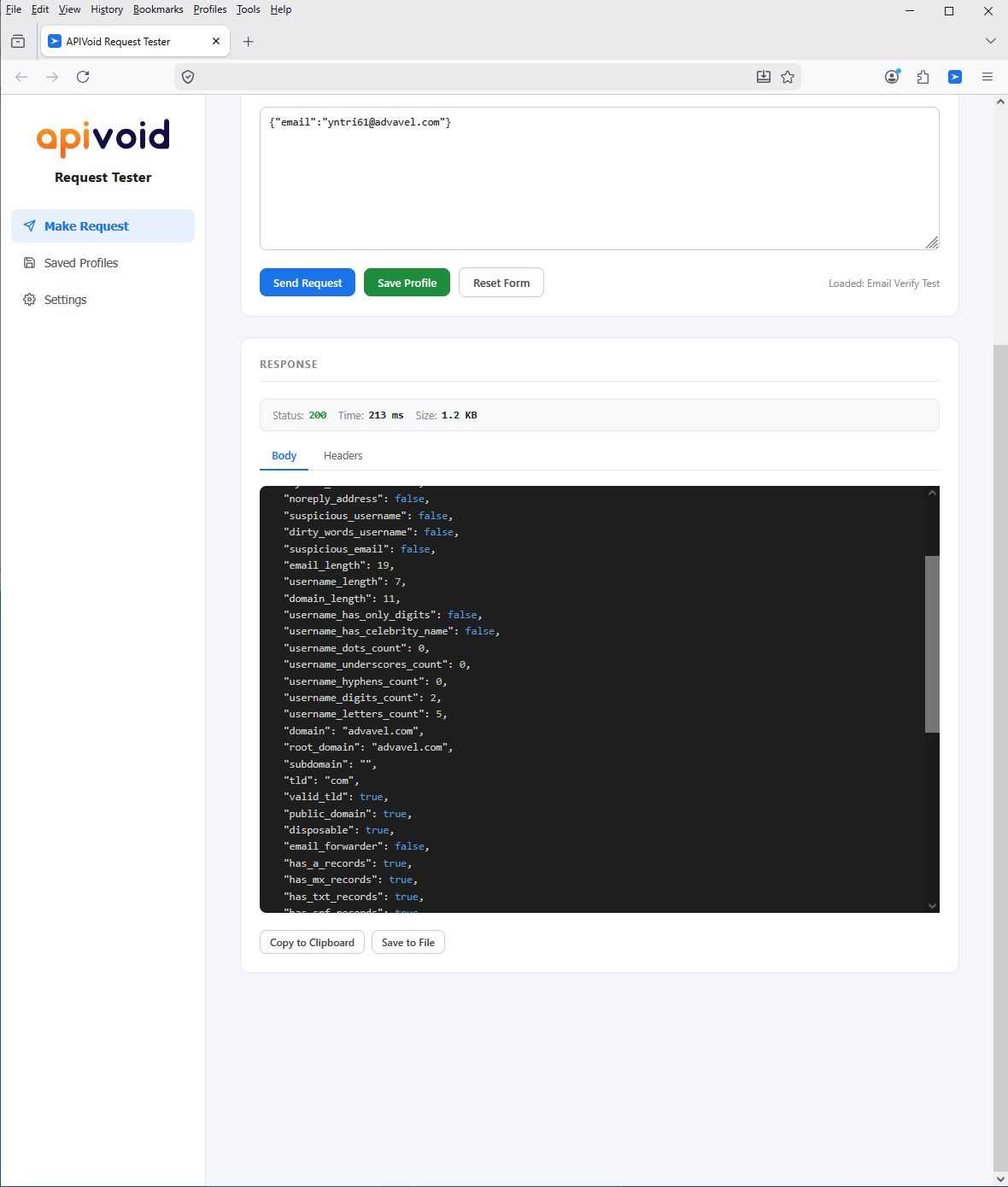
Every response is broken down into the parts you actually need to debug an API. The status code, total response time, and payload size are shown at a glance, while the body and headers can be inspected, copied, or saved to a file for easier debugging.
JSON responses are auto-formatted and syntax-highlighted, making them easy to read without pasting into an external formatter.
All response headers are listed in a clean table view, so you can quickly check Content-Type, caching directives, CORS headers, and more.
Copy the response body or headers to the clipboard with one click, or save them as a file in the right format for further analysis.
Export your saved profiles as a JSON backup and restore them on another machine, so your API testing setup follows you everywhere.
REQUEST TESTER FAQ
Find clear answers about how API request testing works in the browser, what data is stored, and how to get the most out of APIVoid Request Tester.
APIVoid Request Tester is a browser extension for sending HTTP requests to API endpoints and inspecting the responses. It supports all common HTTP methods, custom headers, multiple body formats, and lets you save any request as a named profile that can be re-run with one click. It is designed for developers who want a fast, in-browser alternative to standalone API clients for quick day-to-day testing.
Browser developer tools include a "resend" feature on the Network tab that replays a single request, but they do not let you save requests for later or organize them by name. APIVoid Request Tester is built specifically around saved request profiles, so you can build a library of API calls and re-run any of them with a single click, even days or weeks after the original request.
Yes. Because requests are sent from the extension itself rather than from a regular webpage, the browser does not enforce CORS restrictions on them. This means you can test API endpoints that would normally reject browser-based requests, including endpoints that do not return ACAO headers.
The extension supports GET, POST, PUT, DELETE, PATCH, HEAD, and OPTIONS requests. For the request body, you can choose between no body, raw JSON, x-www-form-urlencoded form fields, or plain text. The appropriate Content-Type header is added automatically based on the body format you select, unless you override it manually in the headers section.
All saved profiles are stored locally in your browser's extension storage. Nothing is uploaded to any server. You can easily export your saved profiles to a JSON backup file at any time and restore them on the same browser or even on a different browser and machine.
The extension uses its own JSON format for import and export, which is documented and easy to generate. Direct import of Postman collections is not supported, but a small conversion script is enough to map a Postman export into the APIVoid Request Tester format.
No. All request sending and response handling happen entirely within your browser. The only outbound traffic the extension generates consists of the HTTP requests you explicitly send to the URLs you enter. There are no analytics, no telemetry, no tracking, nothing is collected or shared.
Create your account, activate your free trial and make your first API call. No credit card and no commitment required.
Get started now