🚀 Experience the new and improved APIVoid! Check out what's new
Build curl commands online with this easy curl builder. Generate readable curl requests with headers, JSON body, authentication, proxy, timeout, and options to disable SSL certificate verification. Copy and run curl commands instantly in your terminal to easily test your API endpoints. Other related tools include Cron Expression Builder and Website Uptime Check.
Header-Name: valueESSENTIAL CURL TIPS
Find clear answers to common curl questions, covering installation, SSL handling, and everyday command usage for sysadmins and beginners.
Curl is an open source command line tool and library for transferring data over many protocols like HTTP, HTTPS, FTP, and SFTP. It is widely used for testing APIs, automating scripts, debugging network issues, and is heavily used by developers, DevOps engineers, and CI systems worldwide.
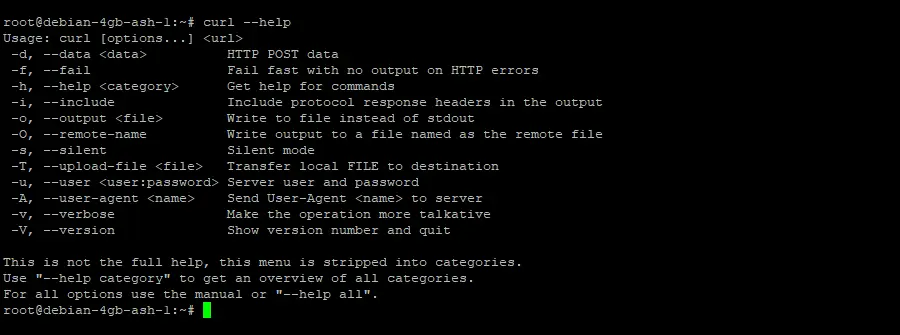
Official website: https://curl.se/
Most Linux OSs include curl by default. If not, install it from the terminal:
Install curl on Ubuntu / Debian:
Install curl on CentOS / RHEL / Rocky:
Install curl on Fedora:
Install curl on Arch Linux:
Then verify the installation: curl --version
Curl is included by default on Windows 10 (v1803+) and Windows 11. You can check if it installed in your system by running this command on cmd.exe command prompt: curl --version
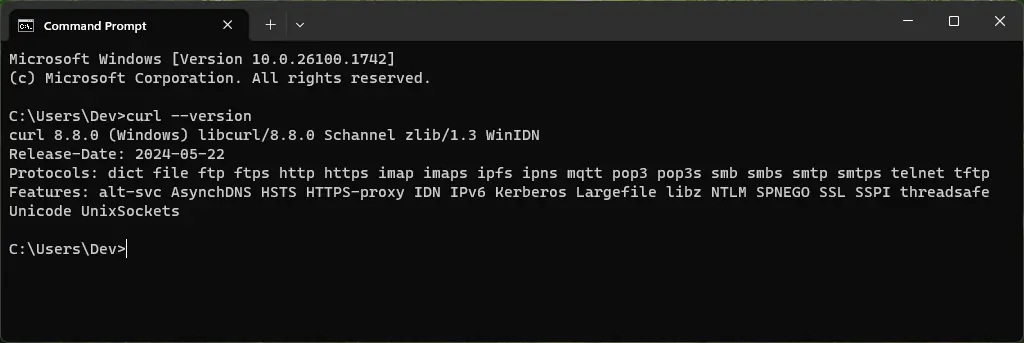
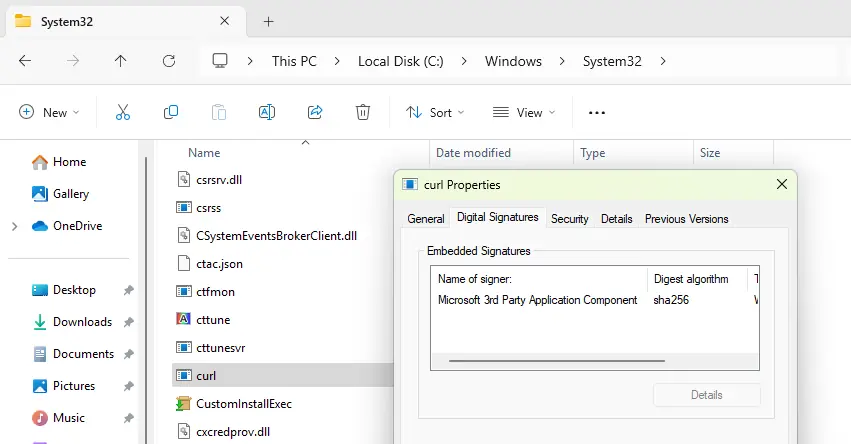
The default location of curl.exe is on the system directory:
It is signed with a valid signature from "Microsoft 3rd Party Application Component".
If it is not available in your system, you can download it via winget:
Or you can download it from the official curl website.
By default, curl verifies SSL certificates and will fail if there are issues, e.g:
You can disable SSL certificate verification in curl using the -k option:
Or using the --insecure option:
This tells curl to skip SSL certificate and hostname verification.
HTTP POST request with form data:
Add basic authentication if required:
HTTP POST request with JSON data:
For APIs that return JSON, you can pipe the output to jq for pretty formatting:
The -s option above will suppress the progress meter and error messages.
Include custom headers (e.g Authorization):
Use -v to see the full request and response for debugging.
Curl sends GET requests by default, so you usually don’t need to specify the method.
Basic GET request:
GET with custom request headers:
GET with verbose output (debugging):
You can set a custom user-agent in curl using the -A option:
Or using the --user-agent option:
Show headers only (HEAD request):
Here is an example output with only headers:
Show headers along with the response body:
Verbose output for debugging (headers + extra info):
To set the maximum time curl will wait to establish a TCP connection:
If the server doesn't respond in that time (10 seconds), curl will abort.
To set the maximum total request duration:
This includes time for the connection, sending and receiving data.
You can also use both together for safety:
This ensures you don't hang on slow connections or slow responses.
Upload a file using multipart form data (most common):
Upload with additional form fields:
On Windows OS make sure to wrap the path in quotes if it has spaces:
You can also use forward slashes / in Windows OS:
Upload a file using PUT (raw file upload):
For debugging or progress tracking, add -v or --progress-bar.
Basic FTP upload (with username and password):
Upload to a specific directory on the server:
Use FTP over SSL/TLS (FTPS) for secure upload:
You can also use forward slashes / in Windows OS:
Upload a file using PUT (raw file upload):
For debugging or progress tracking, add -v or --progress-bar.
Download and keep the original filename:
Download and save with a custom filename:
Download with progress bar (default is shown unless -s is used):
Or you can use the --progress-bar option:
Download with resume support (if the download was interrupted):
Use the -L option if the URL might redirect (HTTP 3xx):
This tells curl to automatically follow HTTP 3xx redirects.
You can route curl requests through proxies using the -x or --proxy option.
Use a HTTP proxy:
Use a HTTP proxy with authentication:
Use a SOCKS4 proxy:
Use a SOCKS5 proxy:
Use a SOCKS5 proxy with remote DNS:
Use the -L option to follow HTTP 3xx redirects (like 301 or 302):
Without -L, curl will stop at the redirect and just show the 3xx response.
Verbose output (request & response headers, connection info):
Trace output (detailed debugging, including SSL info):
Trace to stdout (immediate detailed output):
Create your account, pick a subscription plan, and make your first API call instantly with your API key—simple as that!
Get started now