🚀 Experience the new and improved APIVoid! Check out what's new
BROWSER EXTENSION
APIVoid Browser Protection monitors every website you visit and blocks threats before they load. Stop phishing pages, malicious websites, and downloads of unsafe file types, all with zero configuration required.
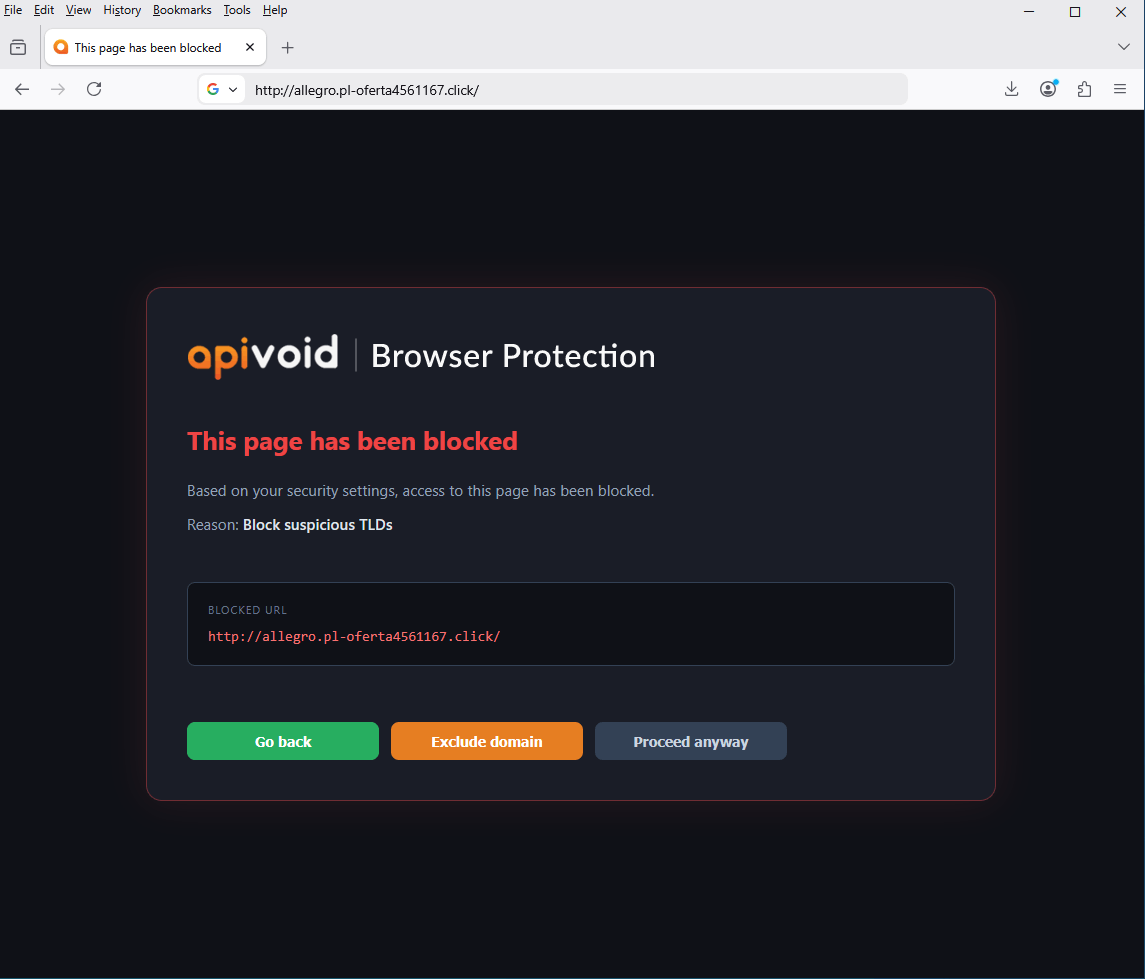
Smart Blocking Rules
APIVoid Browser Protection analyzes every URL you visit and blocks suspicious destinations. From risky TLDs to IP-based URLs, phishing domains, and dangerous file downloads.
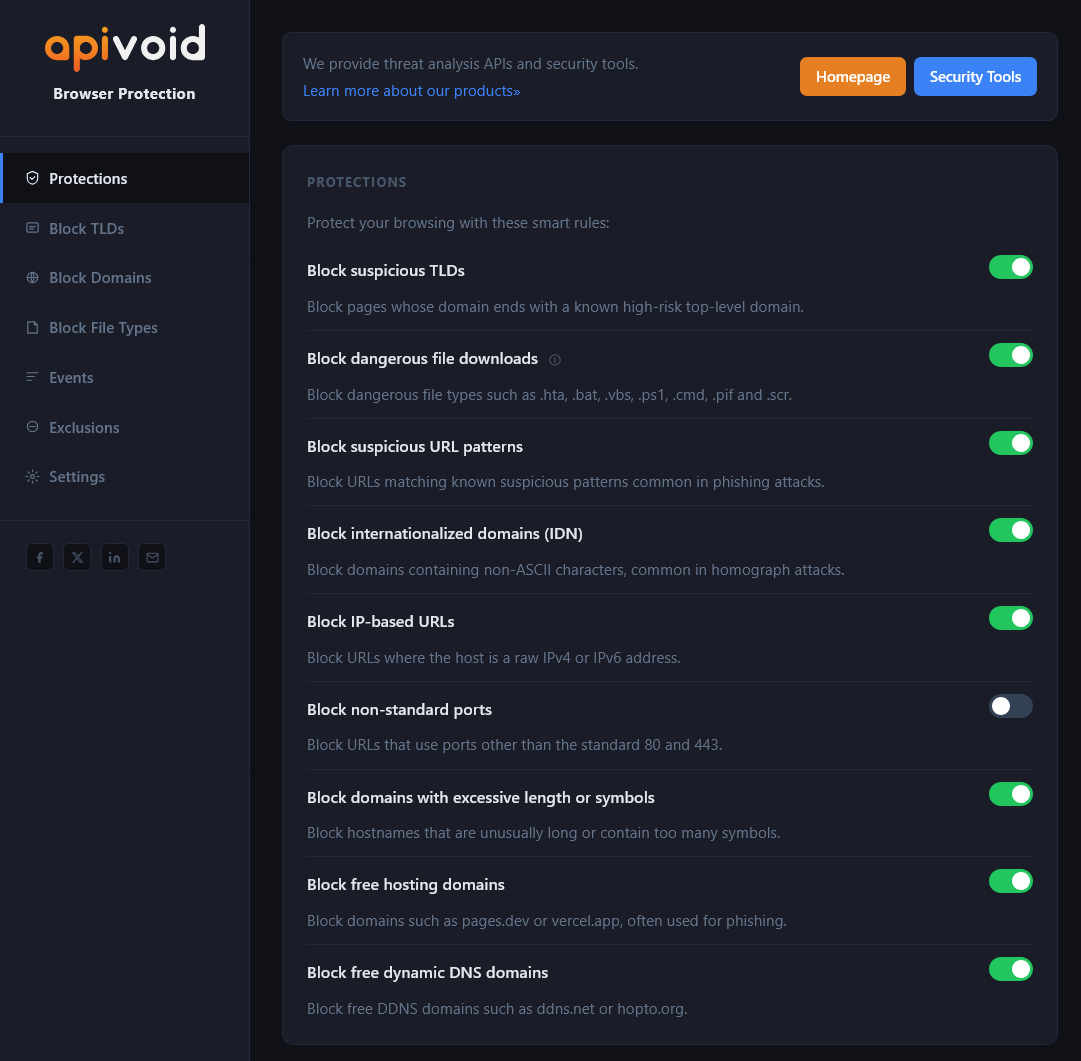
Block domains ending with a known risky top-level domain, commonly used in phishing campaigns.
Block URLs where the host is a raw IPv4 address, a common sign of potentially malicious host.
Block domains like pages.dev or free dynamic DNS domains like hopto.org, often abused for phishing.
Block downloads of dangerous file types such as .hta, .bat, .vbs, .ps1, .wsf and many others.
Key Extension Features
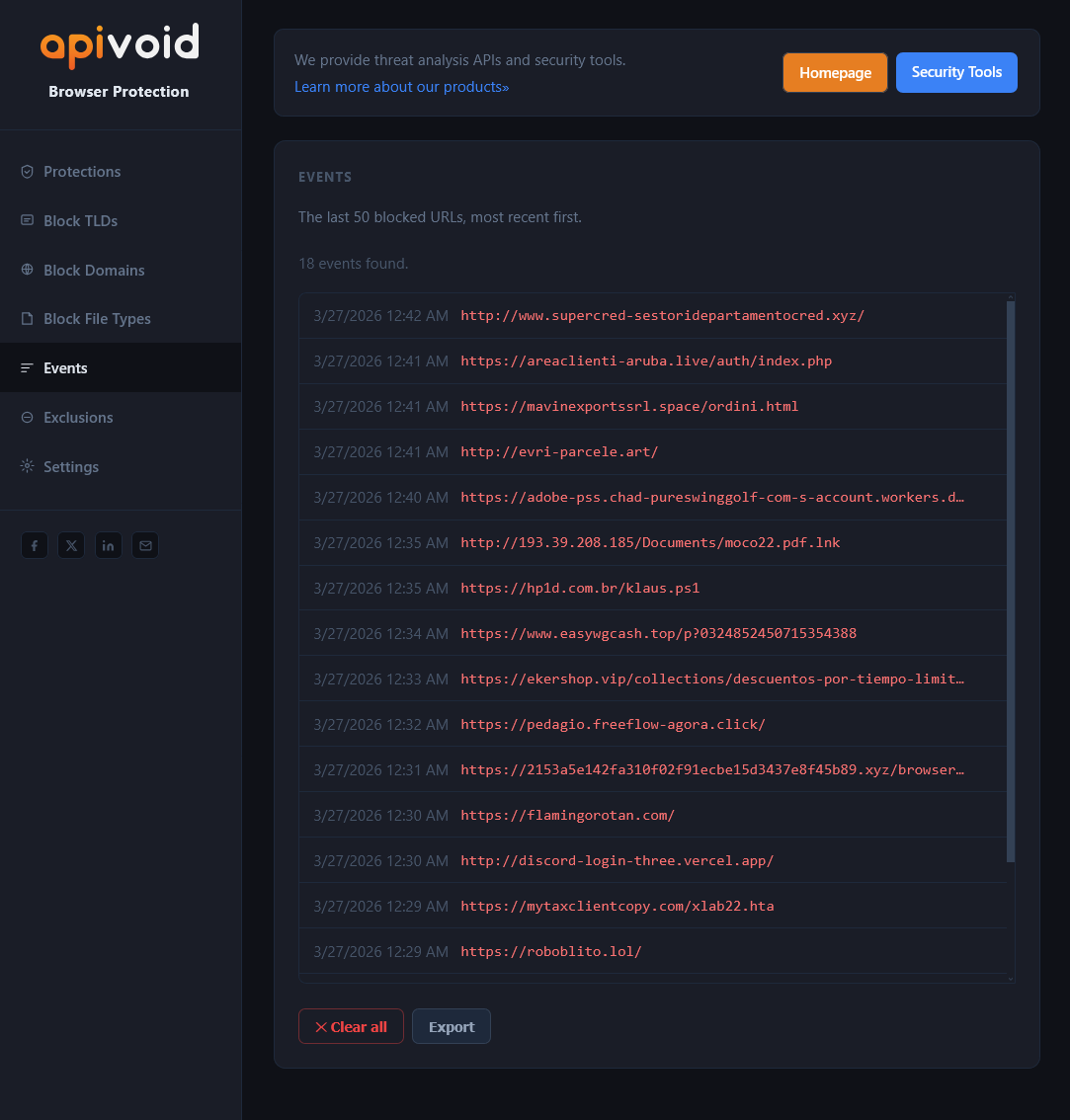
With APIVoid Browser Protection you can customize your protection: add custom domains and TLDs to block, manage exclusions, review blocked URL events, and back up your settings.
Add your own domains, TLDs, and file types to block. Import and export your lists for easy management.
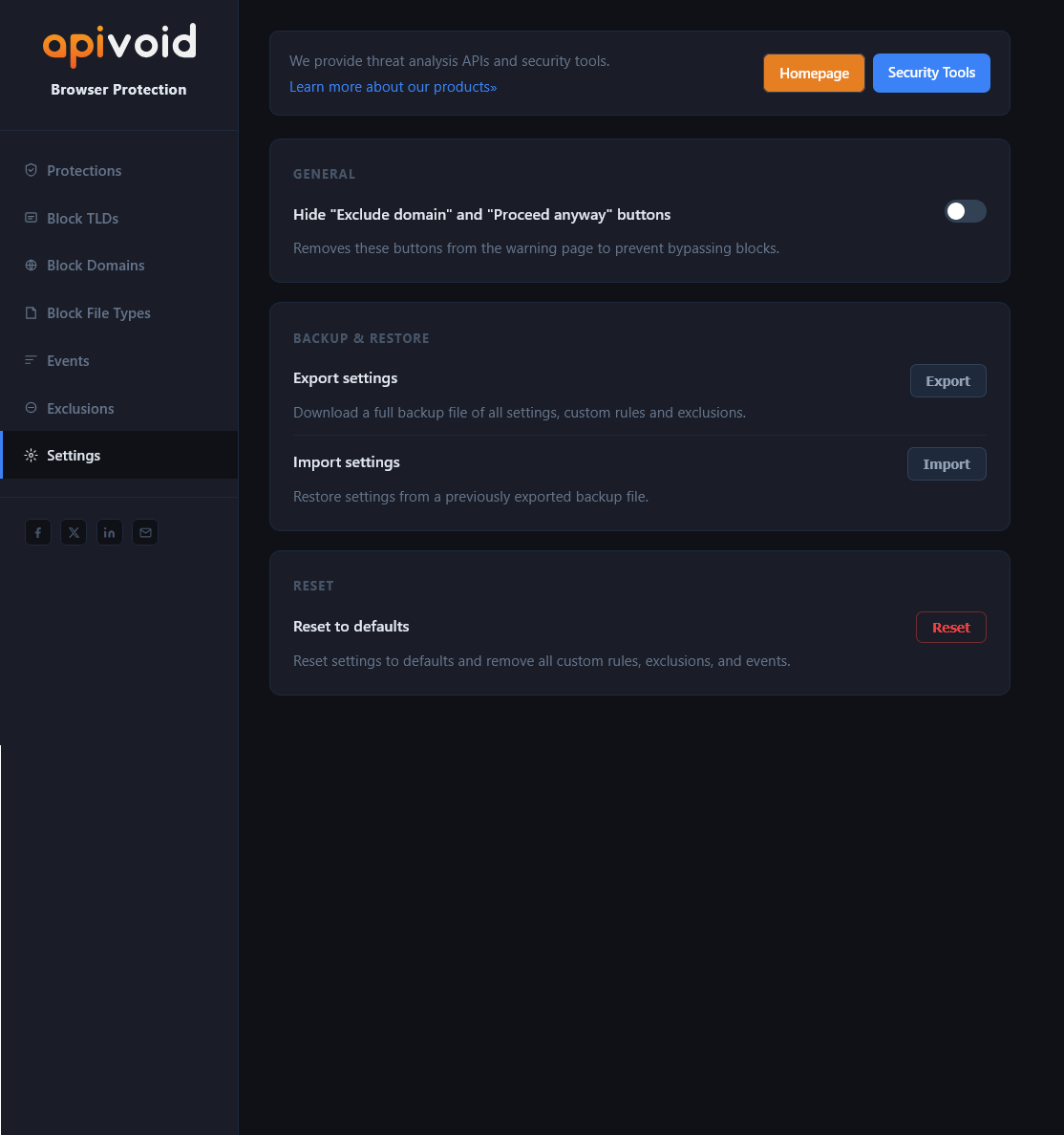
Exclude trusted domains from all blocking rules with one click directly from the warning page or settings.
Review the last 50 blocked URLs with timestamps, track your session and all-time blocked URL counters.
Export a full backup of all your settings and custom rules as a JSON file and restore them on any browser.
Lightweight & Private
APIVoid Browser Protection is built to be fast, lightweight, and privacy-friendly. It works silently in the background using less than 5MB of memory, with no impact on your browsing speed.
Built on native browser APIs, blocking happens at the network level with no measurable impact on page load.
Extremely lightweight by design, uses less than 5MB of memory to keep your browser fast and responsive.
No browsing history or personal data is collected. We have no interest in your web activity.
Blocking rules are automatically updated so you're protected against the latest threats.
BROWSER PROTECTION FAQ
Find clear answers about features, supported browsers, privacy, blocking rules, and how to get the most out of our APIVoid Browser Protection.
The extension currently supports Google Chrome and Mozilla Firefox.
Yes, you can block downloads of specific file types. For example, you can block application files like EXE and MSI, or document files such as PDF, DOC, DOCX, DOCM, XLS, and XLSX. This allows you to restrict the browser to safer web browsing only and block any potentially risky file type.
Yes, you can exclude a website either from the warning page by clicking the "Exclude domain" button, or from the extension settings under the Exclusions section by adding the domain (e.g., example.com).
The extension is designed to work alongside other browser extensions without causing conflicts.
Yes, you can block specific domains (e.g., example.com) or entire domain extensions such as "info" or "ru". This is useful for reducing your attack surface if you do not typically visit certain TLDs.
Yes, from the settings page under the Backup & Restore section, you can export your configuration to a file. On another browser, use the Import option to restore all settings and custom rules.
Yes, the backup file is fully compatible across browsers. You can export your settings on Chrome and import them on Firefox, or the other way around. All your custom block lists, exclusions, and preferences will be restored correctly, independently from which browser they were exported.
Yes, from the settings page under the Reset section, click Reset button to restore all settings to their default values. Important: all your custom rules (if present) will also be removed.
No, the extension currently uses locally stored rules that are automatically updated from our servers. It does not make real-time external API calls, although this may be introduced in future versions.
No, we do not collect, store, or track any browsing history or personal data.
No, the extension focuses on blocking suspicious websites and reducing the attack surface. Ad and tracker blocking is not included, as it may interfere with the functionality of some websites.
Create your account, activate your free trial and make your first API call. No credit card and no commitment required.
Get started now