🚀 Experience the new and improved APIVoid! Check out what's new
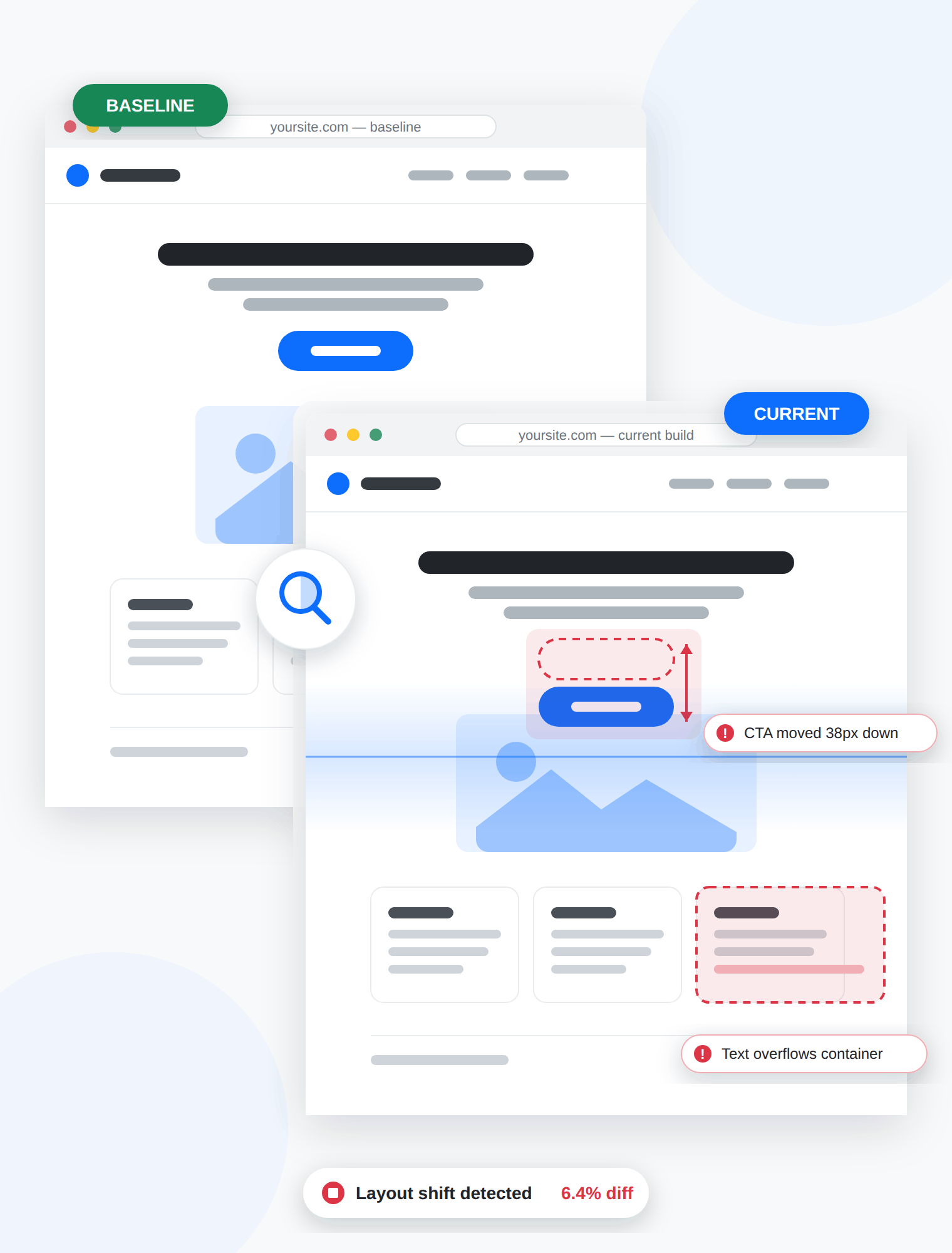
Catch broken layouts before your users do. Our Screenshot API captures pixel-perfect baseline screenshots of any web page at any viewport size (such as desktop, tablet or mobile, viewport-only or full page) so your CI pipeline can compare before and after every deploy and fail the build when something shifts.
Homepage — 1920×1080 desktop
Comparing to baseline...
/pricing/ — 390×844 mobile
Comparing to baseline...
/checkout/ — 1440×900 desktop
Comparing to baseline...
/blog/ — full page capture
Comparing to baseline...
/features/ — 768×1024 tablet
Comparing to baseline...
/signup/ — 1920×1080 desktop
Comparing to baseline...
/docs/ — full page capture
Comparing to baseline...
/contact/ — 414×896 mobile
Comparing to baseline...
/about/ — 1280×720 desktop
Comparing to baseline...






A one-line CSS change, a plugin update or a new cookie banner can move a button, hide a price or break a checkout form, and functional tests will happily pass while it happens. Visual regression testing closes that gap by comparing a rendered screenshot against a known-good baseline on every release. Using our managed Screenshot API to take screenshots means no browser fleet to patch, no headless Chrome versions drifting between machines, and consistent rendering from the first capture to the thousandth.
Capture pixel-perfect screenshots of any URL as a baseline or candidate image for your visual diff.
Render a component, email template or invoice straight from HTML, ideal for component-level snapshot tests.
See every request a page makes, so you can spot the missing stylesheet or font that caused the regression.
Confirm a page is actually reachable before you diff it, so a bad redirect never becomes a false positive.
A tightened Content-Security-Policy is a common cause of blocked fonts and stylesheets that silently break layouts.
Regression-test print stylesheets and archive a paginated record of how a page looked on a given date.
How It Works
The workflow is stateless and language-agnostic: two HTTPS POST requests and an image comparison. Because it is just an API call, you can run it from a GitHub Actions job, a Jenkins stage, a cron script or a deploy hook without provisioning any browser infrastructure.
Step 1
Screenshot the current production page at each viewport you care about and store the PNG images as your reference image, alongside the commit it belongs to.
Step 2
Ship your branch, theme update or plugin upgrade to a staging URL or a preview environment where the candidate version is publicly reachable, so our API can access it.
Step 3
Call the API again with identical viewport, format and custom settings. Same parameters in, comparable pixels out; that consistency is what makes the diff trustworthy.
Step 4
Compare the two images pixel by pixel. Under your threshold, the deploy proceeds. Over it, the build fails and a human reviews the diff before anything reaches real visitors.
Test Every Breakpoint
Most visual regressions do not appear at 1920×1080, they appear at the breakpoint nobody checked. Set a custom viewport width and height per capture, emulate a mobile device, or take a full-page screenshot that scrolls the entire document, and run the same test across every screen size in your matrix.
Pin an exact viewport width and height so every capture of a page is measured against identical dimensions.
Emulate a mobile device or set a custom user-agent to test the responsive variant your visitors actually see.
Capture the whole scrollable document page, not just the fold, so footers and long-form content are covered too.
Disable ads, cookie banners and eventually images to remove the noisy, rotating elements that make diffs fail for no reason.
Usage Example
Capture a baseline and a candidate with identical settings, then compare them for visual differences. Here's a minimal PHP example you can drop into your script.
<?php
$apiUrl = 'https://api.apivoid.com/v2/screenshot';
$apiKey = 'your_api_key_here';

// Use the same settings for baseline and candidate screenshots
$settings = [
    'full_page'       => true,
    'viewport_width'  => 1920,
    'viewport_height' => 1080,
];

function capture(string $pageUrl, array $settings): string
{
    global $apiUrl, $apiKey;

    $ch = curl_init($apiUrl);
    curl_setopt($ch, CURLOPT_RETURNTRANSFER, true);
    curl_setopt($ch, CURLOPT_HTTPHEADER, ['Content-Type: application/json', 'X-API-Key: ' . $apiKey]);
    curl_setopt($ch, CURLOPT_POST, true);
    curl_setopt($ch, CURLOPT_POSTFIELDS, json_encode(['url' => $pageUrl] + $settings));
    $response = curl_exec($ch);
    $httpCode = curl_getinfo($ch, CURLINFO_HTTP_CODE);
    curl_close($ch);

    if ($httpCode !== 200) {
        throw new RuntimeException('Screenshot API error: ' . $response);
    }

    $data = json_decode($response, true);

    return base64_decode($data['rendered_file']['base64_file']);
}

// Step 1: Capture the production page
file_put_contents('baseline.png', capture('https://www.example.com/pricing/', $settings));

// Step 2: Capture the same page on your staging environment
file_put_contents('candidate.png', capture('https://staging.example.com/pricing/', $settings));

// Step 3: Compare the two images and fail the build if the difference is too large
exec('compare -metric AE baseline.png candidate.png diff.png 2>&1', $output, $status);

$changedPixels = (int) ($output[0] ?? 0);

if ($changedPixels > 5000) {
    fwrite(STDERR, "Visual regression detected: {$changedPixels} pixels changed\n");
    // Block the deploy and leave diff.png for review
    exit(1);
}

echo "No visual regression detected.\n";
COMMON QUESTIONS
Clear answers to common questions about visual regression testing, how our Screenshot API can be used, and other related topics.
Visual regression testing is an automated check that compares a screenshot of a web page against a previously approved baseline image to detect unintended visual changes. Where functional tests confirm that a feature still works, visual regression tests confirm that the page still looks right, catching shifted buttons, overlapping text, broken grids and missing fonts that functional assertions cannot see.
Maintaining a headless browser fleet means pinning Chrome versions, installing fonts, patching containers and debugging captures that render differently on a developer laptop than in CI. A hosted screenshot API removes all of that: you make one HTTPS POST request and get a consistent, high-quality image back, usually within 10 to 20 seconds (depending on the complexity of the web page).
Yes. You can set a custom viewport width and height for each capture, emulate a mobile device or use a mobile user-agent. Running the same page through several viewport presets gives you one baseline per breakpoint, which is where most responsive regressions actually hide.
Yes. Enable the full-page option and the API scrolls and captures the entire document rather than only the visible viewport, so long landing pages, blog posts and footers are all included in the comparison.
Rotating ad creatives, consent banners, delayed popups and lazy-loaded images are the usual cause of diffs that fail for no real reason. The Screenshot API can disable ads, cookie banners and images before taking the screenshot, which removes most of that noise before comparison. Setting a small tolerance threshold instead of demanding a zero-pixel match handles the rest.
PNG is the right default for visual regression testing because it is lossless, so a pixel diff reflects genuine layout changes rather than compression artifacts. JPEG, WEBP and AVIF are also available and are better suited to thumbnails and previews where file size matters more than exactness.
Yes. The API is a stateless HTTPS endpoint that accepts a JSON payload, so it works from GitHub Actions, GitLab CI, Jenkins, CircleCI, a cron job or a deploy webhook, in any language that can make an HTTP POST request with JSON payload. A common pattern is to capture and diff on every pull request and fail the build when the difference exceeds your threshold.
Each Screenshot API call consumes 20 credits. Since a visual regression run needs two captures per page per viewport, you can size your plan by multiplying pages by breakpoints by releases per month, our pricing calculator will work out the right plan for that volume.
Create your account, activate your free trial and make your first API call. No credit card and no commitment required.
Get started now